| Permalink: |
Generating a new key file on the WebMoney Security website
If you have lost your key file (.kwm), but are still able to log into other versions of WM Keeper, this guide can help you create a new key file and regain access to WM Keeper WinPro.
Please note: after new keys are registered, all previously registered keys automatically become invalid. Even if the old keys are later found, they can no longer be used.
If the keys are lost or corrupted, the only way to continue working with Keeper WinPro (Classic) is to create new keys and register them in the system.
To generate a new key file, follow these steps:
1. Log in with your WMID on this page with additional confirmation.
2. Enter the password for the new key file.
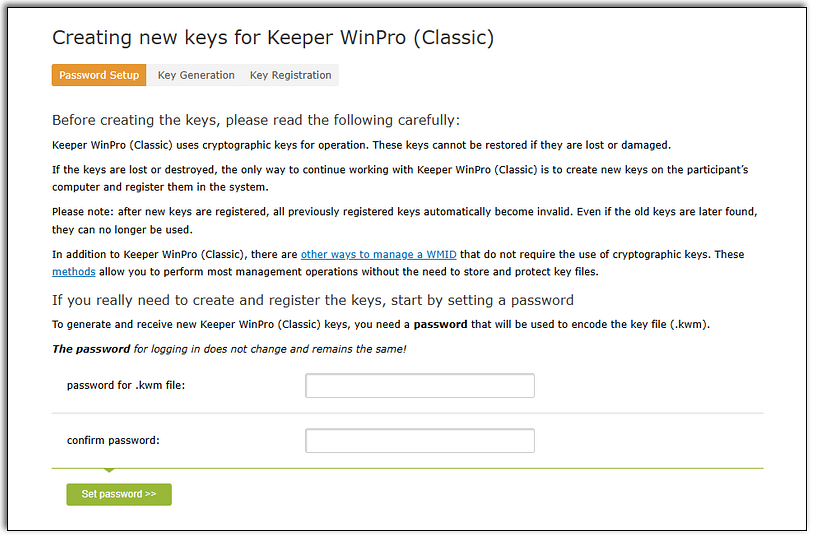
The password for your WMID does not change and remains the same!
3. Next, the key file will be downloaded to your computer.
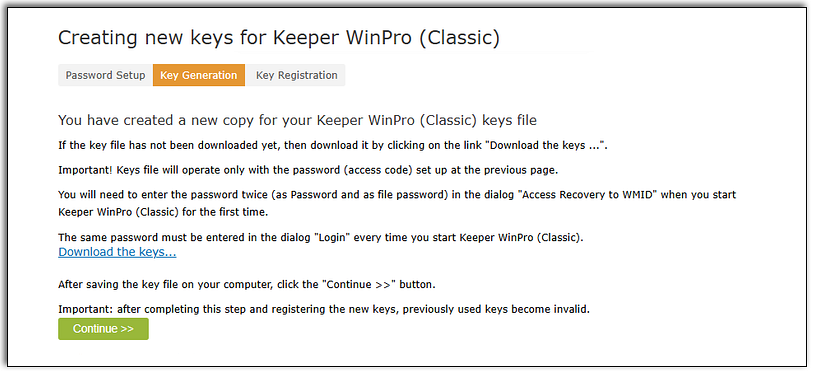
4. After saving the key file on your computer, press "Continue".
Confirm that you have downloaded the key file.
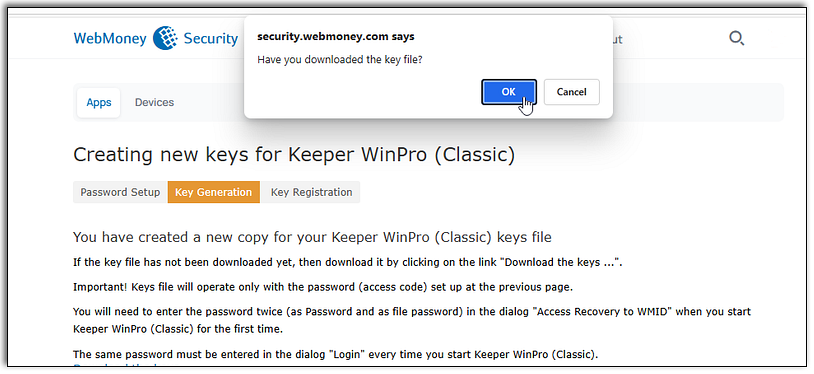
Important: After completing this step and registering new keys, the previously used keys become invalid.
5. New keys can now be used to work in WM Keeper WinPro.

Use this guide for the first launch.
Attention! Key generation is available no more than once a day and only if there were no authorizations in Keeper WinPro during that day.