| Permalink: |
Selective privacy settings for a specific WMID
The "WebMoney Events" Business Network supports making your information accessible not only to the general public, but also to individuals:
- only to selected contacts;
- only for certain services;
- only to a certain type of information.
This allows you to open the necessary information for a specific service only to a specific WMID, without changing the visibility settings for other users.
The following is available for a specific WMID:
- Setting up individual visibility parameters;
- Checking the visibility of your information for a specific correspondent.
Setting up individual visibility parameters
For example, you want to take out a loan, and to confirm your credibility the lender requests information about loans (credits) taken out through the WebMoney Debt service and/or the Credit exchange. To make this information visible, follow these steps:
1 Log in to the WebMoney Events service and select the required service group (in our case, "Debts") in the "Services" section of the Navigation panel.
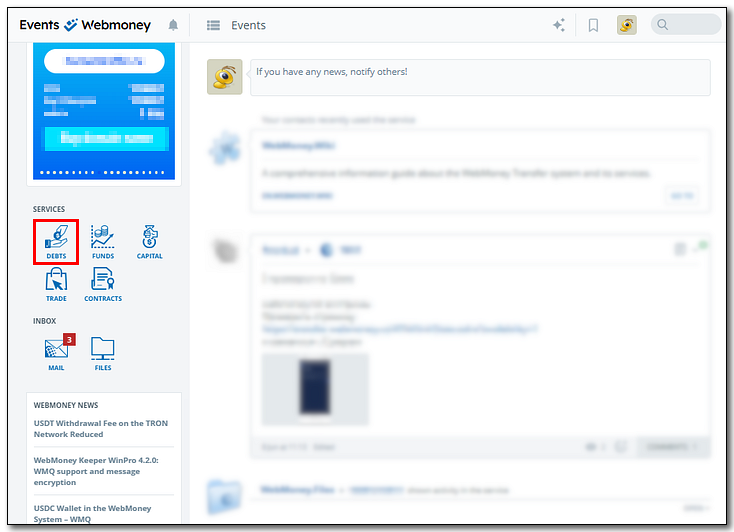
2Click the icon to the right of the "Available for viewing to" for the selected service. This will open the privacy settings.
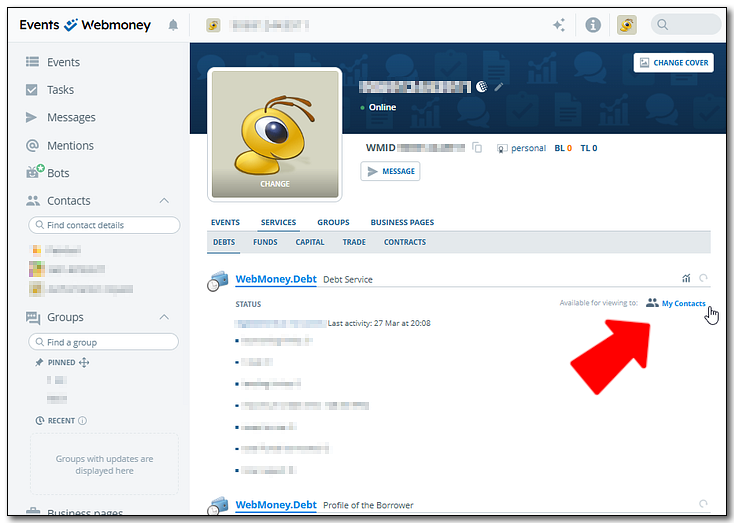
3Press the "Add" button in the "General settings" to add a user-specific visibility settings tab.

4Find the user you want to grant access to and click the button on the right.

A new tab with the name of the added user will appear in the service settings block.
5In this tab, make any necessary changes to the visibility settings that will apply only to this contact. For example, to allow them to view information about your loans from other users, you need to change the "Show My Content in services" parameter to "Yes".

Note: By default, the general settings from the Default service settings section apply to all services. If you want to change the settings for an individual service, you can do so in the Personal service settings section.
Checking the visibility of your information for a specific correspondent
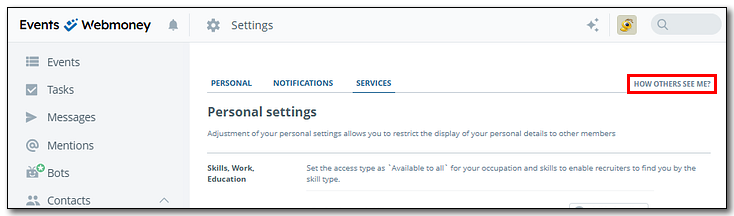
1To ensure that a specific contact sees the information you disclosed as intended, Go to the "Settings" section and press on "How others see mee?"
2Enter the username or WMID of the correspondent for whom the settings were set in the search bar and select them from the list.
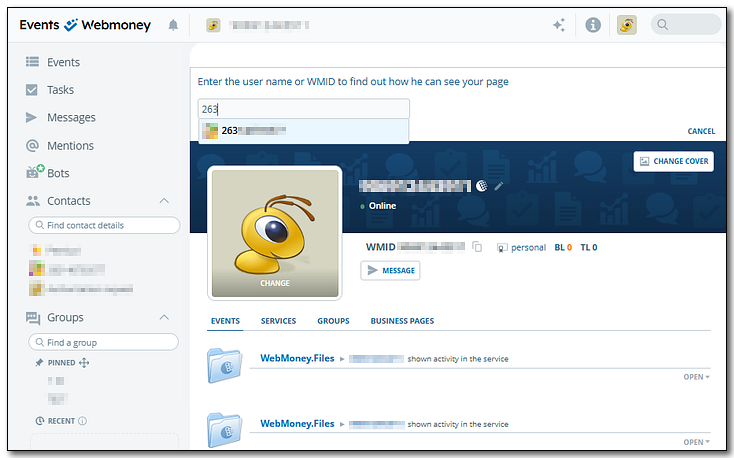
3Click on the top-level "Services" tab, then select the "Debts" tab in the second-level headings.
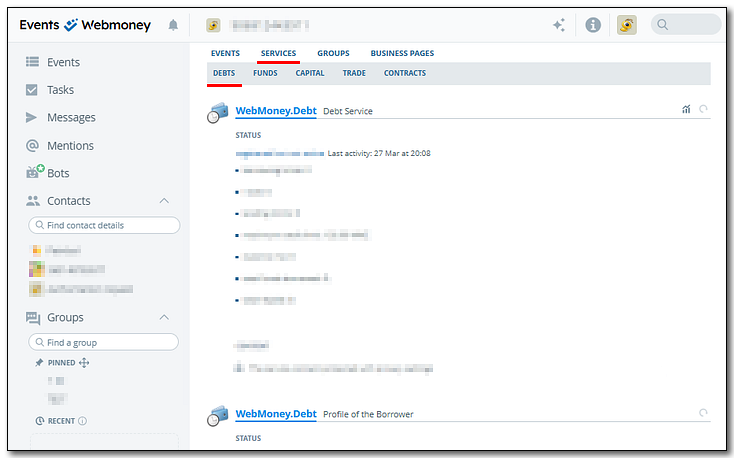
Here you can view the information about loans you've issued and received from the contact's point of view. The «WebMoney.Debt» block contains information about your activity in the Debt Service, and your activity on the Credit exchange is presented in the «WebMoney Credit» block.
See also:
Managing Events and Personal Data Visibility
"WebMoney Events" Business Network
Recommendations for lenders