| Permalink: |
Managing Events and Personal Data Visibility
The "WebMoney Events" Business Network, like other social networks, provides the ability to make certain personal information available for public viewing.
You can make the following data public:- Personal data;
- Activity on various services of the WebMoney Transfer system.
These settings can be applied to all users of the WebMoney Events service or only to individual correspondents (see the procedure for setting individual parameters here).
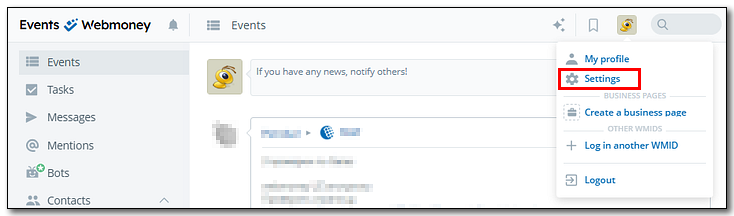
To open the settings, click on your avatar in the upper right corner of the page and then select "Settings".
The "Settings" section consists of three tabs:
"Personal" tab
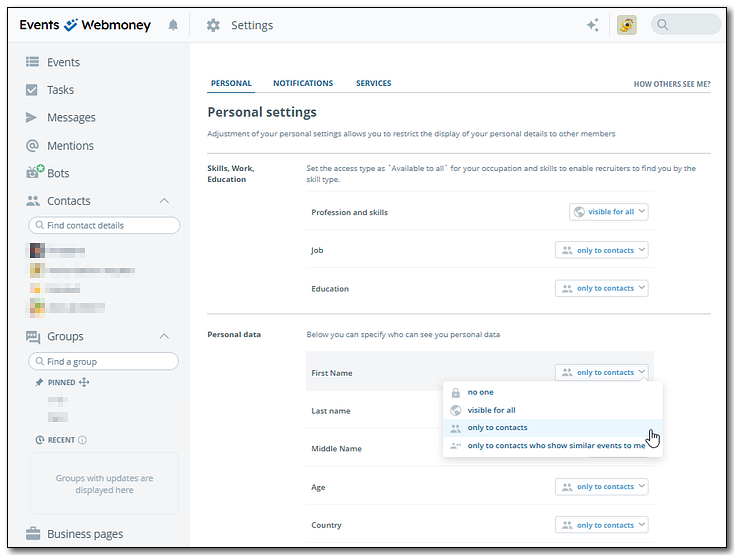
The "Personal" tab determines how information from your profile is displayed to other users of the WebMoney Events service (including information obtained from your Passport in the WebMoney Transfer system), and also allows you to set restrictions on receiving personal messages from WebMoney Events users.

To change any of the visibility parameters, click on the corresponding field and select the desired value from the drop-down list.
"Notifications" tab
The "Notifications" tab determines how you are notified about the events you're interested in. Notifications can be sent to WebMoney Keeper, E-mail and Telegram.

Notification settings are configured by checking/unchecking boxes or moving the slider to the desired position.
Notifications about events published in groups are configured individually for each group via context menu.
To receive notifications via Telegram, do the following:
1. Press the "Connect bot" button

2. Scan the QR-code or press "Open in Telegram"

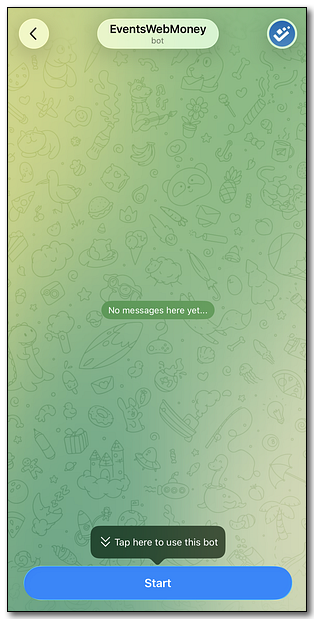
3. In the chat that opens, press "Start"
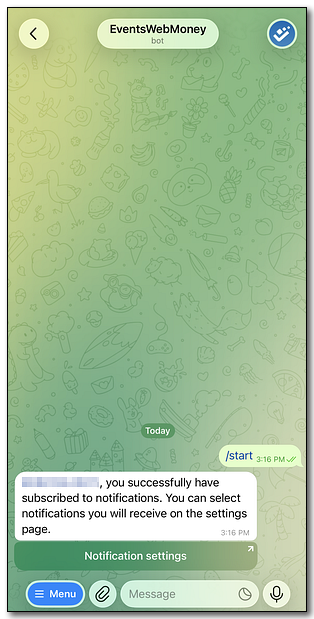
4. Notifications via Telegram are now enabled
"Services" tab
The "Services" tab allows to customize how your activity in the WebMoney Transfer system is displayed in the main feed (in the "Events" section), as well as the visibility of this data to your contacts.
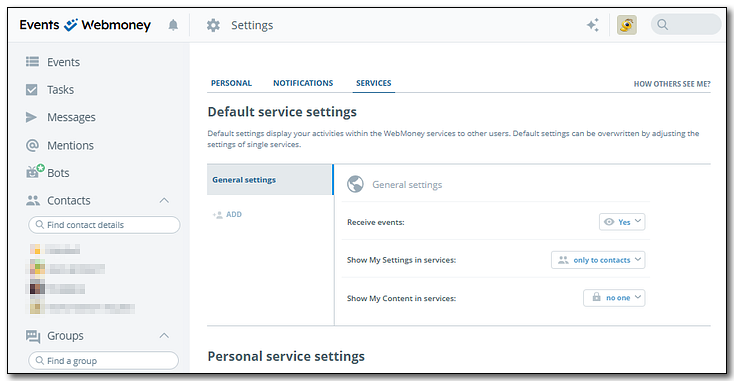
General parameters that apply to all services are set in the "Default service settings" block.

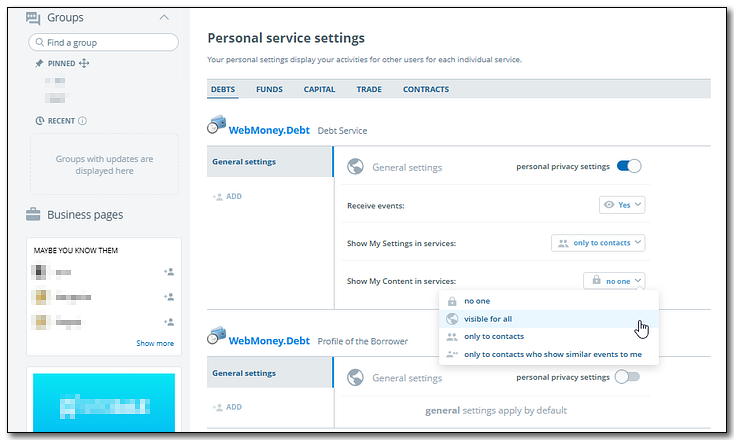
In addition to general settings, you can selectively set parameters for any WebMoney Transfer system service in the "Personal service settings" block. To do this:
- select the desired internal tab - a list of services in this category will open;
- locate the desired service;
- activate the "personal privacy settings" by moving the slider to the right;
- change the opened parameters accordingly.
Changing how you are notified about events in groups
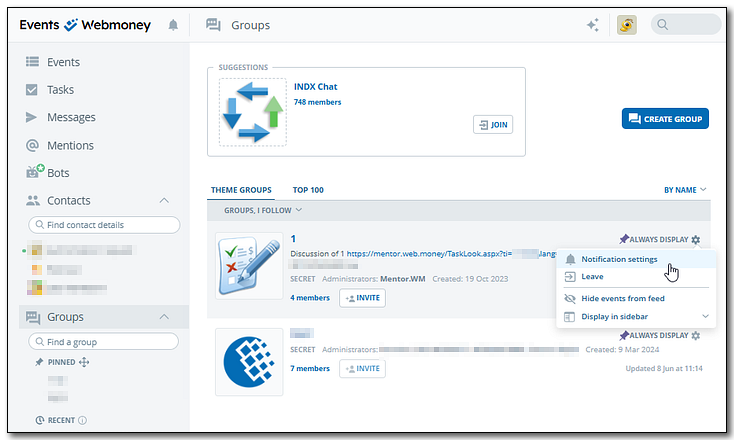
To change the notifications settings for a specific group:- go to the "Groups" section;
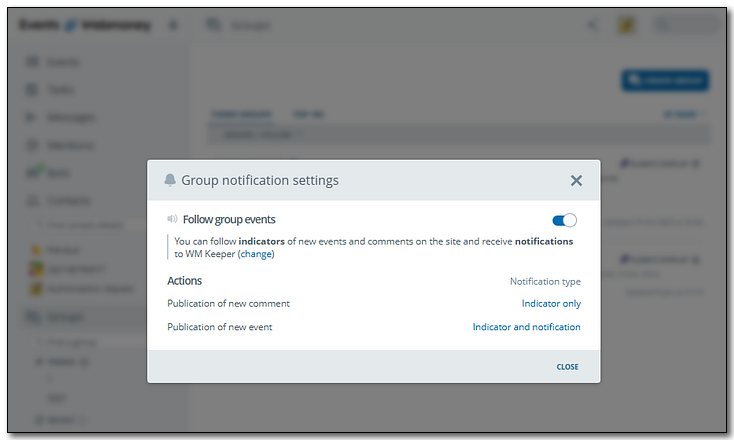
- in a context menu for the chosen group, select "Notification settings";
- Set the desired values in the pop-up window.
- open the group page;
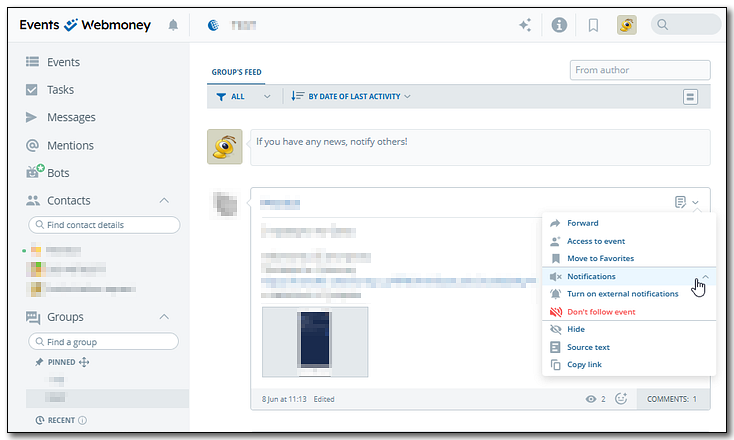
- in the context menu of the selected event, click "Notifications";
- in the drop-down list, you can turn on/off the external notifications for the event, as well as stop tracking it.
Checking the visibility of your information to other users of the "WebMoney Events" service
To find out how other WebMoney Events users see your personal information, click on "How others see me?" in the settings.


In the "Personal data" section (ⓘ) you can add or edit relevant information using the  and
and  buttons. To change the avatar, simply click on your profile picture and upload a new image.
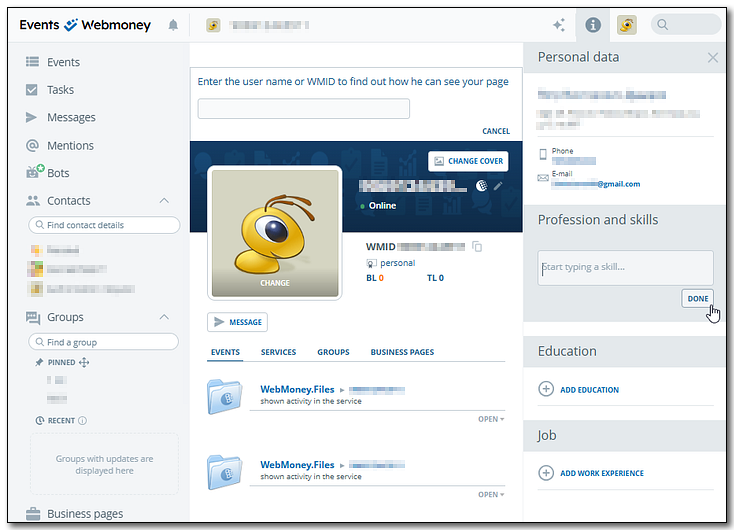
Note: personal data downloaded from the Verification centre can only be changed here
The procedure for selectively setting up data visibility for specific correspondents is described here.
See also:
Selective privacy settings for a specific WMID
"WebMoney Events" Business Network
Recommendations for lenders