| Permalink: |
Huge Pages Issue
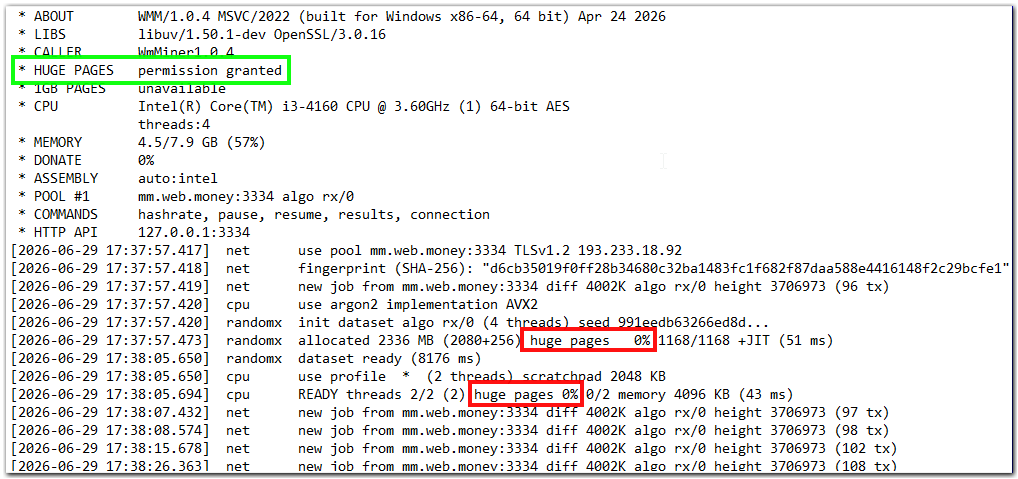
Check the Huge Pages values in the miner log — after startup they should read 100%. Using Huge Pages can boost hashrate by up to 50%.
"HUGE PAGES unavailable" Issue
If you see the line HUGE PAGES unavailable in the miner log, this means the program was unable to use "large memory pages" (Huge Pages / Large Pages).
Possible fixes:
1. Run WM Keeper WinPro or WebMoney Miner as Administrator
1.1. Click Start, then find WM Keeper WinPro or WebMoney Miner.
  1.2. Right-click the shortcut, then go to More > Run as Administrator.
2. Configure Local Policies in Windows
Step 1. Open Local Security Policy.
- Press Win + R > type `secpol.msc` > click OK.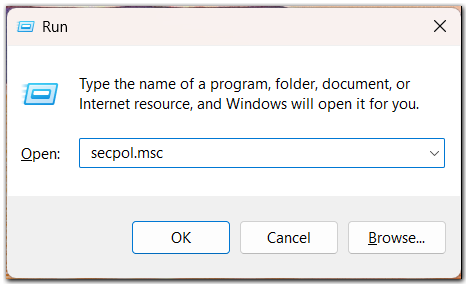
Step 2. Go to: Local Policies > User Rights Assignment.
- Find the setting: "Lock pages in memory."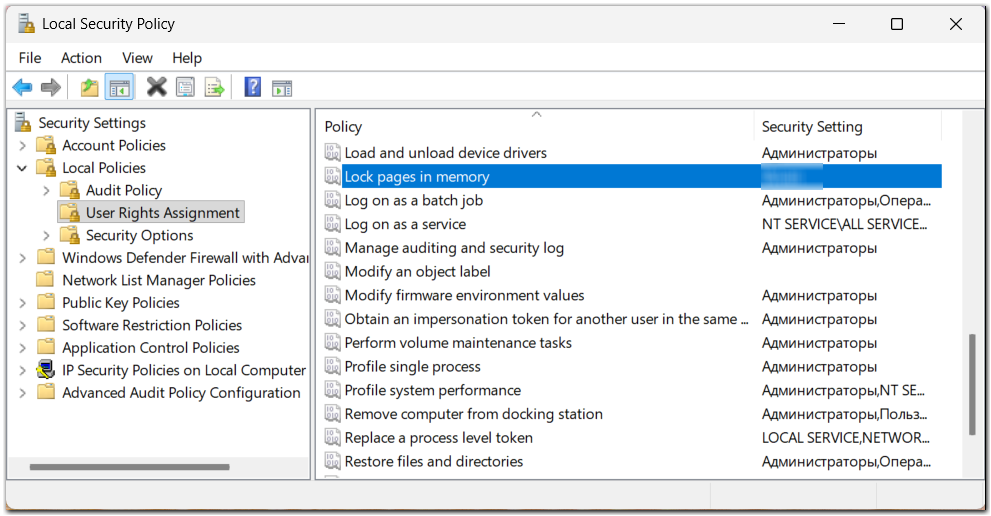
Step 3. Add your user:
- Double-click to open its properties.
Click "Add User or Group."
 - Enter the Windows user account under which mining runs (e.g., Administrator).
 - Add it to the list.
- Click OK to save the changes.
 - Restart the computer.
"Huge pages 0%" Issue
If huge pages are allowed in the miner log (i.e., you see the line HUGE PAGES permission granted) but it then shows huge pages 0%, restarting Windows usually resolves this.